
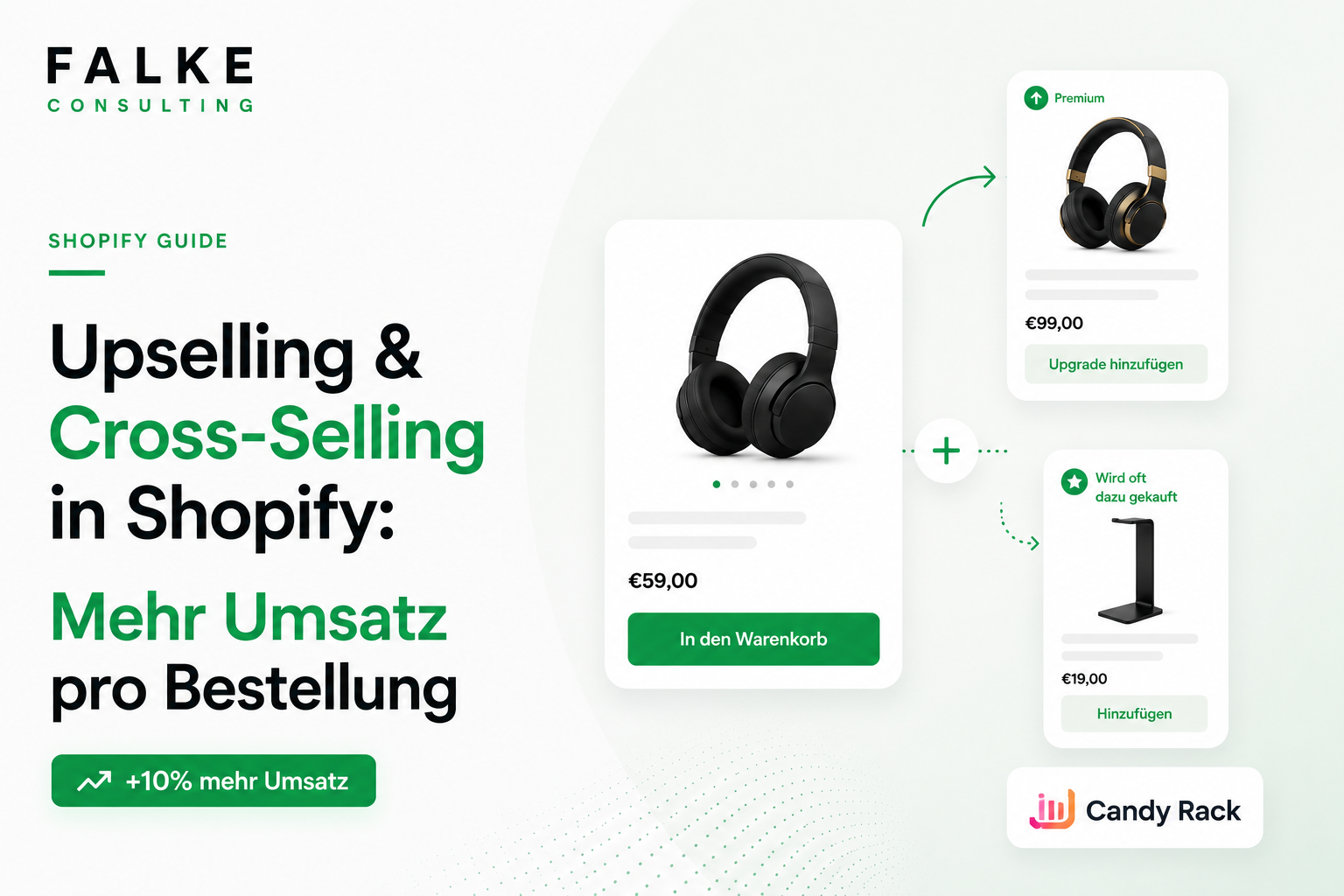
Upselling & Cross-Selling in Shopify: More Revenue per Order
How to increase your average order value with upsells and cross-sells — without more traffic. Plus the best app for it: Candy Rack.

TL;DR
- Upselling & Cross-Selling increase your Average Order Value (AOV) — without needing to buy more traffic.
- Offers are most effective at multiple points: product page, cart, checkout, and post-purchase.
- A specialized app handles the technical aspects for you. Proven and simple: Candy Rack (4.9★, free plan available).
- Important: be relevant, not pushy — otherwise, conversion will drop instead of rise.
Increasing revenue doesn't mean burning more advertising budget. The quickest leverage comes from customers who are already buying: by increasing the average order value, you earn more from each order — with the same traffic. That's exactly what upsells and cross-sells are for. This post shows where they work, how to implement them without code, and which app I recommend for it. For a comprehensive overview, see our Pillar on Conversion Levers; for how the product page itself sells, see the post on Product Page Optimization.
Transparency note: This post contains affiliate links (advertisement). If you install an app via a link, I may receive a commission — the price for you remains unchanged.
01Upselling vs. Cross-Selling — briefly explained
Upselling means offering the customer a better (more expensive) variant — e.g., the larger pack or the premium model. Cross-selling means adding suitable accessories — "often bought together." Both increase the cart value without you having to acquire a new customer. That's why it's so profitable.
02Why Upsells Increase AOV (and Profit)
An example: With 1,000 orders per month and a €60 AOV, you generate €60,000 in revenue. If a well-placed upsell raises the AOV by just 8% to €64.80, that's an additional €4,800 in revenue per month — without a single cent of additional marketing. Because customer acquisition costs are already paid, most of this goes directly into profit.
Unsure which upsell suits your product range? Book an appointment →
03Where to best place Upsells
The trick isn't a single pop-up, but the right spot in the customer journey. These four points work most reliably:
| Placement | When | Effect |
|---|---|---|
| Product page | directly after "Add to Cart" | highest attention, ideal for 1-click upsell |
| Cart / Slide-Cart | before checkout | add suitable accessories |
| Checkout | during checkout process | final add-on offers (Shopify Plus) |
| Post-purchase | on the thank you page | risk-free — the purchase is already complete |
04My recommendation: Candy Rack
So that you don't have to program these placements yourself, I use Candy Rack. The app displays upsell and cross-sell offers as a slim, mobile-optimized pop-up — directly after clicking "Add to Cart" and at all the points mentioned above. Why I recommend it:
- 1-click upsell on the product page — no detours, no friction.
- AI mode: automatically suggests the most relevant products, thus increasing AOV.
- Multiple placements: product page, cart, checkout, and post-purchase — plus a fast slide-cart.
- A/B tests & custom design: test offers and seamlessly adapt them to your shop.
- EU-developed, GDPR compliant — important for the DACH region.
Candy Rack has over 200 reviews with 4.9★, is "Built for Shopify," and offers a free plan for test/development stores; paid plans start at $29.99/month with an 8-day free trial. You can install Candy Rack for free here. You can find more tools for your shop in our overview of the best Shopify apps 2026.
05How to start in 4 steps
- Install app: Set up Candy Rack and connect it to your theme.
- Create first upsell: start on your bestseller — larger variant or suitable accessory.
- Activate AI mode: switch on automatic product suggestions and observe.
- Test & optimize: use A/B tests to find out which offer converts best.
06The most common mistakes
- Irrelevant offers: An upsell that doesn't match the product is just annoying. Relevance beats quantity.
- Too many pop-ups: One strong offer works better than three weak ones.
- No testing: Without A/B testing, you're just guessing. Let numbers decide.
- Forgetting speed: Make sure the app doesn't slow down load times — see Core Web Vitals & Speed.
Frequently asked questions
What is the difference between upselling and cross-selling?
Which app is suitable for upsells in Shopify?
How much more revenue do upsells generate?
Don't upsells annoy customers?
Where should I place upsells?

Seit Jahren setze ich Shopify-Shops für Marken im DACH-Raum um — von der Migration über den Relaunch bis zur Conversion-Optimierung. In diesem Blog teile ich, was in echten Projekten funktioniert.

Mehr aus deinem Shopify-Shop holen?
Lass uns in einem kostenlosen Erstgespräch herausfinden, wo bei dir der größte Hebel liegt — technisch, inhaltlich oder bei der Conversion.
Kostenloses Erstgespräch buchen