
Server-Side Tracking for Shopify: Meta Conversion API & Consent Mode v2
Properly setting up Meta Conversion API, Server-Side Tracking & Consent Mode v2 for Shopify – stable data quality despite tracking loss, GDPR-compliant.

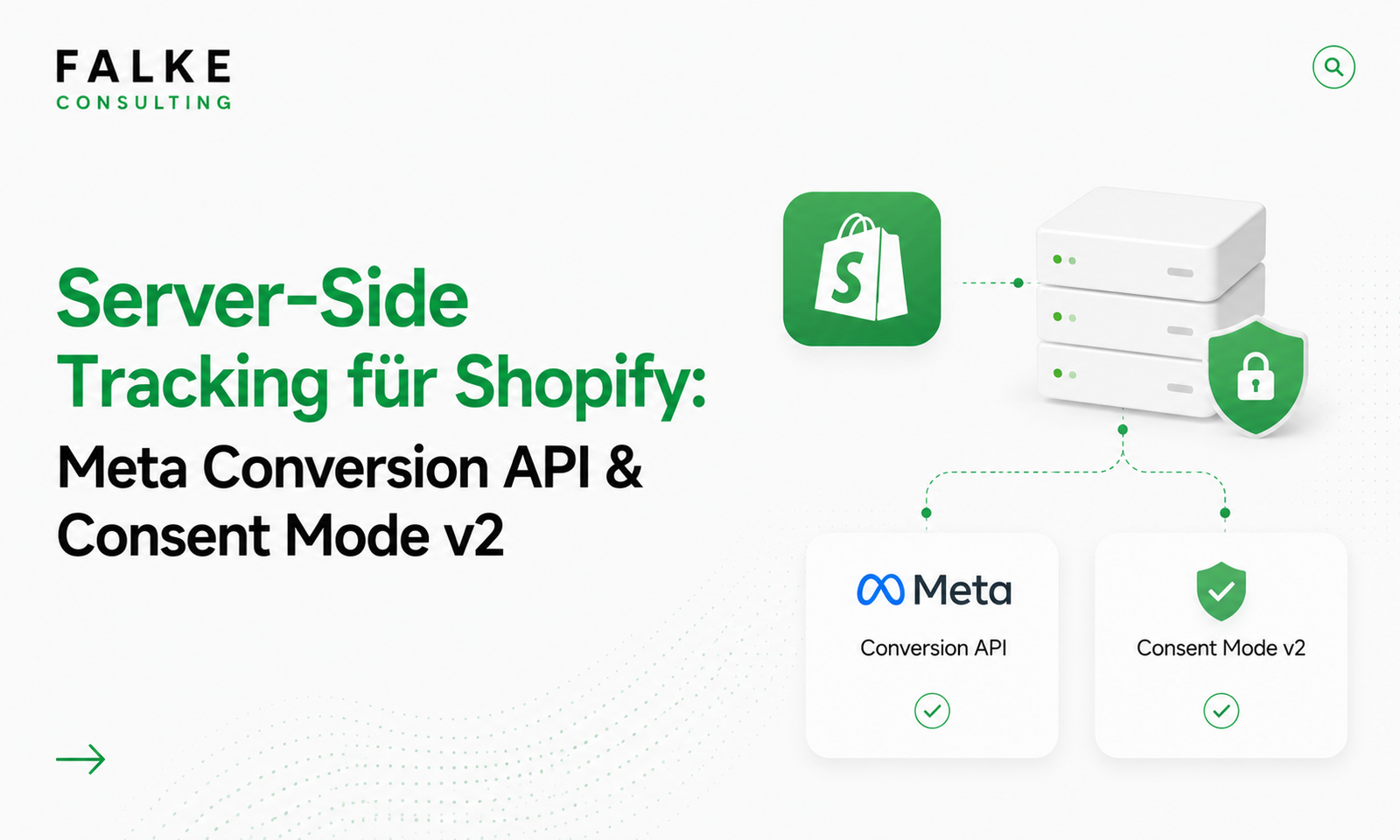
Key Takeaways
- Pure browser tracking is losing more and more data due to ad blockers, ITP, and consent refusal – server-side tracking closes this gap.
- The Meta Conversion API (CAPI) sends events server-side to Meta – more stable and complete than the pure browser pixel.
- Consent Mode v2 is mandatory for Google services to measure accurately (and potentially modeled) based on user consent.
- The goal is high Event Match Quality with full GDPR compliance – tracking only with consent, but technically robust.
Your campaigns optimize based on data – and that data is breaking down if only the browser measures. This guide shows you the technical setup of server-side tracking for Shopify: setting up Meta Conversion API, cleanly integrating Consent Mode v2, and measuring data quality. This focuses on the technical CAPI/server-side setup – not on cookie banners in general.
Note: The legal aspect – cookie banners, consent, legal certainty – is covered in the article GDPR in Shopify Stores. This article focuses on the technology behind it. Want to have your tracking setup reviewed? Schedule an appointment →
01Why browser tracking will no longer be sufficient in 2026
The classic browser pixel sits in the frontend – and that's exactly where it's being hindered: ad blockers block scripts, Apple's Intelligent Tracking Prevention (ITP) shortens cookie lifetimes, and without consent, the pixel isn't even allowed to fire. The result is gaps in your conversion data – and poorer decisions by advertising algorithms.
Server-side tracking shifts measurement from the browser to the server. Events are collected server-side and sent to the platforms – more independent of browser restrictions and therefore more complete. Important: "server-side" does not mean "without consent." Here, too, the rule applies: only what the user has consented to will be measured.
02Server-Side Tracking explained (Customer Events / CAPI)
In the Shopify context, there are two key components:
- Customer Events (Web Pixels): Shopify's encapsulated sandbox, through which events are cleanly collected and forwarded – the basis for clean tracking without theme tinkering.
- Conversion API (CAPI): the server-side interface of the platforms (e.g., Meta), to which you send events directly – in parallel or as a replacement for the browser pixel.
In practice, you combine both: the browser pixel continues to fire (for maximum signal density), and additionally, the server sends the same events via CAPI – linked via a common Event ID for deduplication, so that nothing is counted twice.
03Setting up Meta Conversion API in Shopify
For most stores, native integration is the fastest way:
- Install the Facebook & Instagram Channel or the official Meta integration in Shopify.
- Link your Meta Business Account and Dataset (Pixel).
- Activate Conversions API – Shopify sends key events (PageView, ViewContent, AddToCart, InitiateCheckout, Purchase) server-side to Meta.
- Check the connection in Meta Events Manager: Are events arriving "via the server" and are they being correctly deduplicated?
If you need more control (multiple platforms, custom event logic), you use a server-side container or specialized tracking apps. For Meta alone, the native Conversions API integration is usually sufficient.
04Cleanly integrating Consent Mode v2
Google Consent Mode v2 is the bridge between consent and measurement. It passes the consent status to Google services, so they only measure within the allowed framework – and when consent is missing, they use modeled data instead of simply being blind.
- Use a Consent Management Tool (CMP) that officially supports Consent Mode v2 and is integrated into Shopify's Consent API.
- Ensure that the signals
ad_storage,analytics_storage, as well asad_user_dataandad_personalizationare set correctly. - Tracking tags may only switch to the respective mode after consent – the CMP controls this, not chance.
Important: Consent Mode v2 does not replace a legally compliant banner – it presupposes one. The interaction of banner, CMP, and tracking must be cleanly coordinated.
05GA4 server-side & Event Match Quality
Google Analytics 4 can also be stabilized server-side. Ultimately, data quality is crucial – with Meta, you measure it by the Event Match Quality (EMQ):
- Pass as many (hashed, consent-based) customer parameters as possible – email, phone number, name, location – to reliably attribute events.
- A good EMQ significantly improves attribution and thus campaign optimization.
- Regularly check in Events Manager or GA4 DebugView whether events are arriving completely and correctly attributed.
Why the effort is worthwhile: better signals → better algorithm decisions → more efficient ads. This directly ties in with your shopping campaigns, which are covered in the article Google Merchant Center & Shopify.
06Avoiding Double Tracking
The most common mistake when switching: events are counted twice because the browser pixel and server event are not linked. Here's how to prevent it:
- Set a common Event ID for browser and server events so Meta can deduplicate.
- Do not send the same purchase via two different apps simultaneously.
- After every change, make a real test order and check it in Events Manager.
If you want to set up your tracking cleanly and GDPR-compliant, you can find the appropriate framework on the Services page – including coordination with your consent banner.
07Conclusion
Server-side tracking will no longer be a luxury in 2026, but the foundation for reliable campaign data. With the Meta Conversion API, clean deduplication, and a correctly integrated Consent Mode v2, you measure more completely – and remain GDPR compliant. The interplay is crucial: technology, consent, and data quality must align.
Frequently Asked Questions
What is the difference between a browser pixel and the Conversion API?
Is server-side tracking allowed even without consent?
Do I need Consent Mode v2?
How do I avoid double-counting conversions?

Seit Jahren setze ich Shopify-Shops für Marken im DACH-Raum um — von der Migration über den Relaunch bis zur Conversion-Optimierung. In diesem Blog teile ich, was in echten Projekten funktioniert.
Mehr aus deinem Shopify-Shop holen?
Lass uns in einem kostenlosen Erstgespräch herausfinden, wo bei dir der größte Hebel liegt — technisch, inhaltlich oder bei der Conversion.
Kostenloses Erstgespräch buchen